
Best MCP Servers (2026): The 15 I Actually Use — Ranked, With Setup Guides
Out of 22,000+ MCP servers, the fifteen that survive real daily work — what each connects, exact installs, and the security rules nobody tells you.

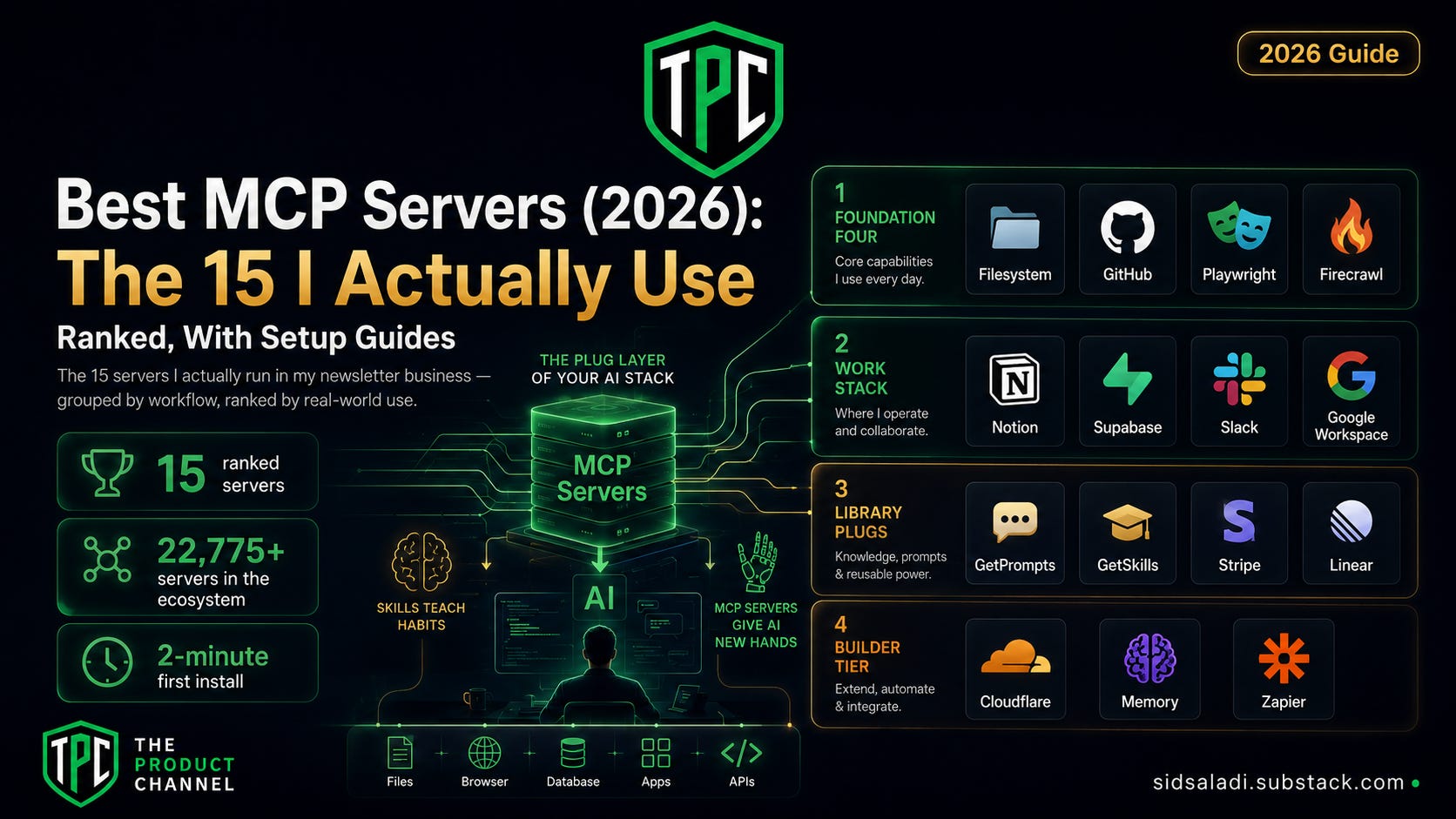
There are now 22,775 MCP servers in the Glama directory alone (as of May 2026, per Techsy's count). That number is the problem. Every list of "best MCP servers" reads like a phone book, and most of the entries are weekend projects that will eat your API tokens and ghost you.
Here's my qualification for writing this one: my entire newsletter business runs on MCP servers, every single day. The database queries, the Notion dashboards my content publishes to, the browser automation that drafts my posts — all of it flows through the fifteen servers below. Two of them I built myself.
The one idea to hold onto: skills teach your AI new habits; MCP servers give it new hands. A skill changes how Claude works; an MCP server changes what it can touch — your files, your database, your browser, your tools. Stack both and your AI stops being a chat window.
Fifteen servers, ranked and grouped by who you are. Install time for your first one: about two minutes.
The Product Channel by Sid Saladi is a reader-supported publication. Subscribing is free and gets you 100+ deep dives like this one. Consider a free or paid subscription.
What Is an MCP Server? (60 Seconds)
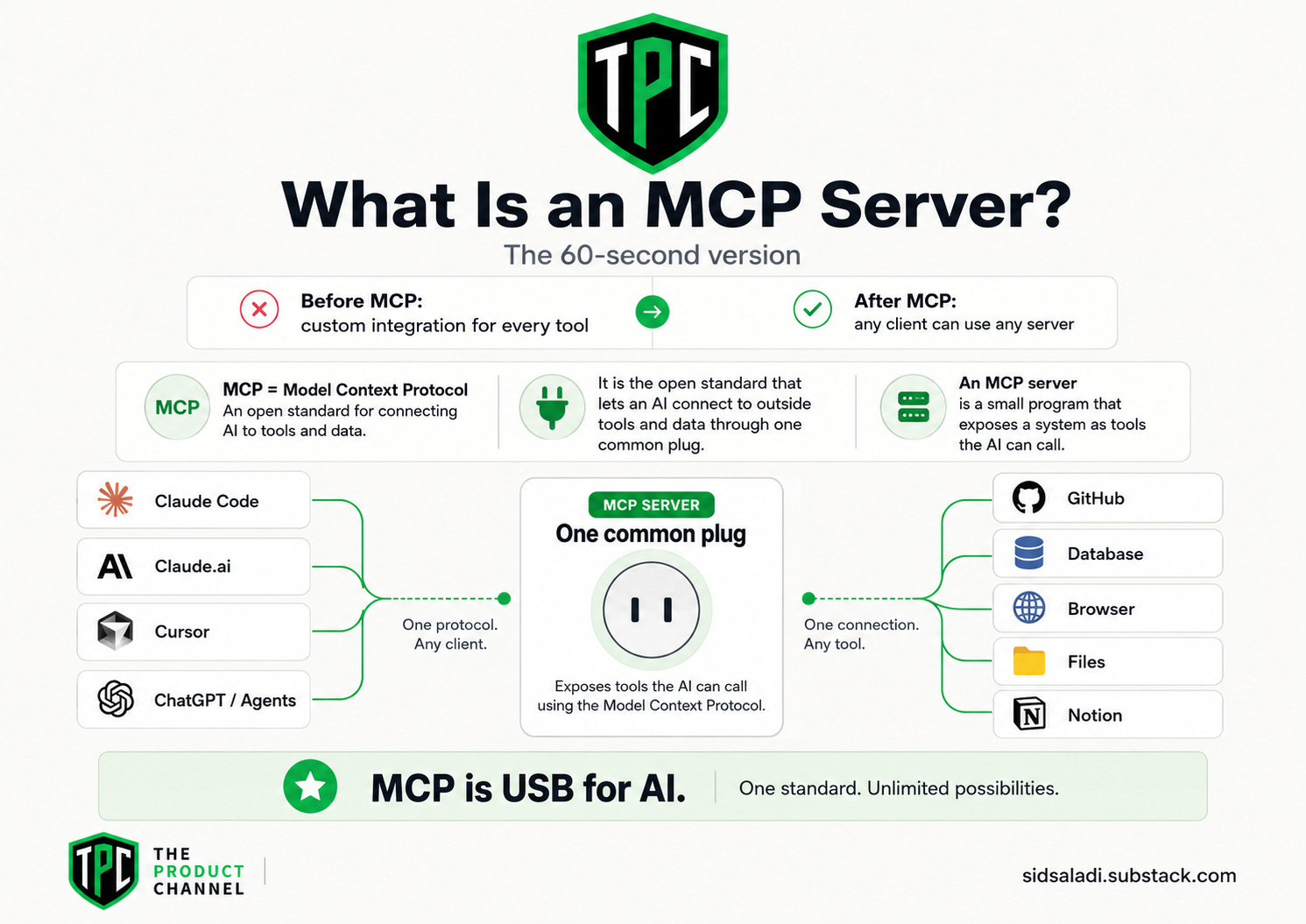
MCP (Model Context Protocol) is the open standard — introduced by Anthropic, now industry-wide — that lets an AI connect to outside tools and data through one common plug. An MCP server is one such plug: a small program that exposes a system (GitHub, your database, a browser) to your AI as a set of tools it can call.
Before MCP, every AI-to-tool connection was a custom integration. After MCP, it's a socket: any client (Claude Code, Claude.ai, Cursor, and most serious agents) can use any server. I wrote the full explainer when the standard was young — The MCP Revolution — and the short version has aged well: MCP is USB for AI.
What matters in 2026: the ecosystem exploded (those 22,775 servers), the big vendors shipped official servers (GitHub, Microsoft, Notion, Supabase, Stripe, Cloudflare — the "verified" tier, per Techsy's security breakdown), and the practical question changed from "what is MCP?" to "which five servers should I actually run?"
That's this article — think of it as the 101 guide and buyer's playbook for the plug layer of your AI stack.
[INFOGRAPHIC: "Skills vs MCP" — two-lane diagram: skills = instructions (habits) flowing into Claude; MCP servers = connections (hands) reaching out to files, GitHub, database, browser, Notion.]
How to Install an MCP Server (Every App, Step by Step)
MCP is a standard, so the same server installs into every major AI app — but each app has its own door. Here's each one:
Claude Code (terminal) — the one-liner:
claude mcp add github
# or, for any server with a command:
claude mcp add my-server -- npx -y @some/mcp-server
Claude Desktop (Mac/Windows app): Settings → look for the Developer / Connectors section → either add a remote connector by URL, or edit claude_desktop_config.json to register a local server:
{
  "mcpServers": {
    "filesystem": {
      "command": "npx",
      "args": ["-y", "@modelcontextprotocol/server-filesystem", "/path/to/your/project"]
    }
  }
}
Restart the app after adding — the config loads on startup.
Claude.ai (web): Settings → Connectors → add the remote server's URL. Web can only reach remote (hosted) servers — local ones need Desktop or Claude Code.
Cursor: Settings → MCP → "Add new MCP server," or drop a .cursor/mcp.json file in your project root — same JSON shape as above, same mcpServers key. Green status dot = connected. Restart if it doesn't appear.
ChatGPT (yes, it speaks MCP now): Settings → Connectors → Advanced → toggle Developer mode (available on Plus/Pro/Team/Enterprise — not free accounts), then add your connector. One important limit: ChatGPT only connects to remote, HTTPS-hosted MCP servers — it won't run local ones the way Claude Desktop and Cursor do.
Verify it's alive (any app): ask "what MCP tools do you have right now?" — the new server's tools should appear by name. Desktop apps generally need a restart after config edits; that one habit prevents most "it's not working" moments.
💡 Pro tip: install servers one at a time and test each. When five servers arrive at once and something breaks, you won't know which plug is loose.
[SCREENSHOT: terminal running claude mcp add followed by Claude listing the new server's tools in a session.]
How I Ranked These 15
Daily survival. Every pick either runs in my own stack or earned its slot across weeks of real sessions — not a demo, not a directory scrape.
Maintained + trustworthy. Preference for official/vendor servers (the verified tier) and heavily-adopted community ones. Your MCP server can read your data; the maintainer matters.
Job coverage. Fifteen servers, zero overlaps: each owns one job, grouped by persona below.
Keep reading with a 7-day free trial
Subscribe to The Product Channel By Sid Saladi to keep reading this post and get 7 days of free access to the full post archives.